
7 Best Pinclicks Alternatives (Free & Paid) in 2025

Are you a Pinterest marketer or blogger who’s been using Pinclicks but finds it’s not quite the perfect fit for your needs – maybe because of price, features, or customer support?
You’re in the right place! I’ve helped hundreds of Pinterest users and small business owners pick the right tools, so I know your pain points: you want to grow your Pinterest traffic, but you need the right keyword research tool to help you with keyword and market research, and also help you create suitable content for the Pinterest platform.
In this article, I’ll introduce you to the top Pinclicks alternatives, kicking off with Pinsearch (of course!), and compare them in a clear, friendly way.
My goal? To help you make an informed decision and feel confident as you level up your Pinterest game.
Quick Summary – Top Picks for Each Need
Don’t have time to read the whole article? Here’s the quick rundown of the best Pinclicks alternatives:
Pinsearch stands out as our top recommendation for most Pinterest marketers. It offers comprehensive keyword research with search volume data, difficulty scores, and trend analysis—all the essentials you need to rank your pins without the premium price tag.
Pin Inspector is perfect if you prefer a one-time payment over monthly subscriptions. For just $67 (or $37 with discount codes), you get lifetime access to powerful Pinterest research tools, including keyword analysis, competitor insights, and pin performance data.
Tailwind works best if you want an all-in-one solution that combines keyword research with scheduling and analytics. While it’s pricier at $17.99-$49.99/month, it’s an official Pinterest partner with robust features.
KeySearch is ideal for multi-platform marketers who need Pinterest keyword data alongside Google, YouTube, and other platforms. At just $17/month, it’s incredibly affordable for the value you get.
Pindodo offers a free 7-day trial and focuses on uncovering hidden keywords and hashtags that your competitors might miss, making it great for those who want an edge in competitive niches.
Pinterest’s Free Tools (Trends and native search) cost nothing and provide reliable data directly from the source, though they lack the advanced analytics of paid tools.
Best Alternatives to Pinclicks
Here’s a detailed look at each recommended tool, starting with Pinsearch:
1. Pinsearch – The Most Powerful Pinclicks Alternative
Let me start with what I believe is the best overall alternative to Pinclicks: Pinsearch. This tool has been quietly gaining traction among serious Pinterest marketers, and after using it extensively, I understand why.

Pinsearch offers a comprehensive suite of features specifically designed for Pinterest keyword research. Unlike some tools that feel like they tacked on Pinterest as an afterthought, Pinsearch was built from the ground up for the platform.
The Keyword Finder module is where Pinsearch really shines. You enter a seed keyword—let’s say “vegan recipes”—and the tool pulls autocomplete suggestions directly from Pinterest.
But here’s where it gets interesting: Pinsearch doesn’t just give you a list of keywords. You get estimated search volume directly from Pinterest, keyword difficulty scores, 12-month trend graphs, and keyword clustering that groups similar intent keywords together.
This means you can quickly identify which keywords have decent search volume but aren’t impossibly difficult to rank for. As a blogger working on Pinterest growth, this combination of metrics saves hours of guessing and helps you make data-driven decisions about which content to create.
The Pin Explorer is another feature I use almost daily. It lets you search for any keyword and see the top-ranking pins, but unlike manually searching on Pinterest (which shows personalized results based on your history), Pin Explorer gives you unfiltered, neutral results.
You can see each pin’s engagement metrics, publisher information, follower counts, and even the annotations Pinterest has assigned to each pin.
These annotations are incredibly valuable because they’re essentially Pinterest’s own keyword tags. When you know which keywords Pinterest is associating with top-performing pins, you can incorporate those same terms into your own pin descriptions and titles.
The main feature that sets Pinsearch apart is its AI-powered content creation modules that let you create to publish Pinterest-optimized blog posts from a topic as well as from Images. Once the content is created, you can create a draft on your WordPress site with just one click.
No other tool offers this kind of vertical integration, where you can do keyword research and content generation all in one place.
The main limitation? If you need features beyond keyword research—like scheduling or automated pin creation—you’ll need to pair Pinsearch with another tool. But for pure keyword research and competitive analysis, it’s hard to beat.
Best for: Bloggers and Pinterest marketers who want comprehensive keyword data with strong analytics, especially those who are serious about Pinterest SEO and willing to invest in a dedicated research tool.
Pricing:
Flat and affordable – Monthly subscription starts at $29 and Yearly at $179.
2. Pin Inspector
Pin Inspector is a desktop Pinterest research tool with a one-time fee (around $67) so there are no recurring subscriptions. It runs on Windows and Mac and is built specifically for Pinterest rather than general SEO.

It offers advanced keyword research, trending pin discovery, competitor analysis, and pin performance tracking. You can pull 50+ data points for each pin and 18+ for boards, including saves, repins, and other engagement stats, which makes it easy to see what’s actually working in your niche and reverse-engineer successful content.
Pin Inspector also surfaces Pinterest “annotations” and board interest keywords, plus (with a connected Keywords Everywhere account) it can show real monthly search volume, CPC, and competition metrics inside the software. This combination gives you both Pinterest-native signals and broader SEO-style numbers.
Because it’s packed with modules (keywords, trends, pins, boards, top pinners), it can feel a bit overwhelming at first, and there’s no free trial—only a refund window. However, if you’re willing to learn it, you get lifetime access to a very feature-rich Pinterest research tool for less than a couple of months of many subscriptions.
Best for: Pinterest marketers who dislike subscriptions, want deep pin and board analytics, and don’t mind using desktop software with a steeper learning curve.
3. Tailwind Keyword Finder
Tailwind is an official Pinterest partner and an all-in-one platform that combines scheduling, analytics, design, and Pinterest keyword research. If you already need a scheduler and broader Pinterest management, Tailwind can replace several separate tools at once.
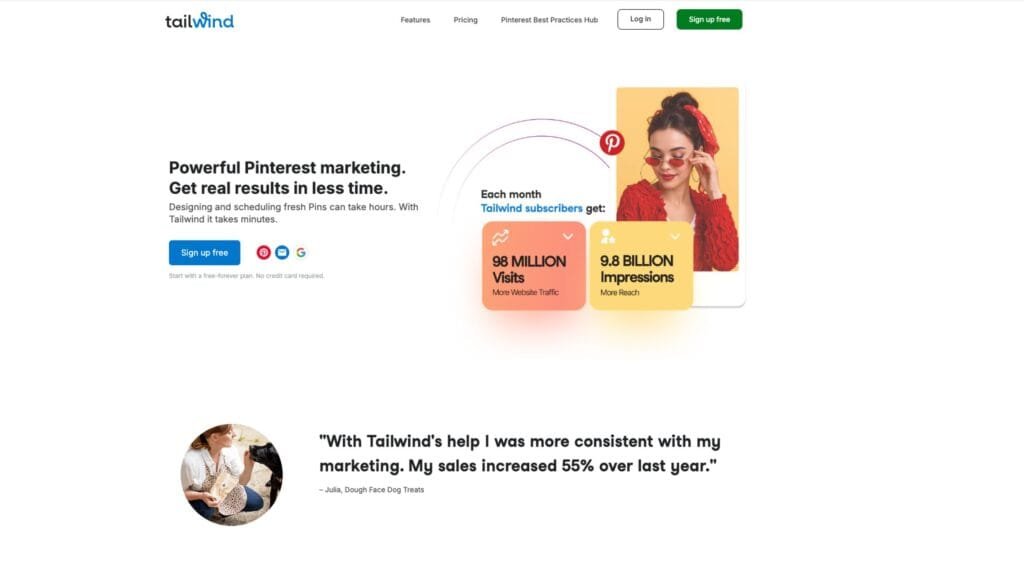
Its Free Pinterest Keyword Tool is available with a free Tailwind account and generates Pinterest keyword ideas based on your website URL or topics you enter. This helps you discover high-opportunity terms and related phrases to use in your titles, descriptions, and boards.
Beyond keywords, Tailwind includes SmartSchedule (which posts at times when your audience is most active), Communities for sharing pins with niche-specific groups, and design tools to create pin images and titles faster. For many users, the time saved by having everything in one place is as important as the keyword data itself.
Pricing starts with a Free Forever plan (5 posts per month). Paid tiers go from roughly $14.99–$49.99/month, depending on the plan and billing cycle, with higher levels offering more posts, AI credits, accounts, and advanced analytics across Pinterest and other platforms like Instagram and Facebook.
Tailwind is more expensive than a pure research tool if you only need keywords, and the interface can feel busy when you’re just trying to look up phrases. But for people managing ongoing content and scheduling, the extra capabilities can more than justify the cost.
Best for: Marketers who want scheduling, analytics, design, and keyword research in one place, especially if they also post to other social platforms.
4. KeySearch (General Keyword Research Tool)
KeySearch is a general SEO keyword research tool that also supports Pinterest, making it attractive if you’re growing both your blog and your Pinterest at the same time. It’s known for being one of the most affordable pro tools at around $17/month or $169/year, with frequent discounts lowering the annual price further.
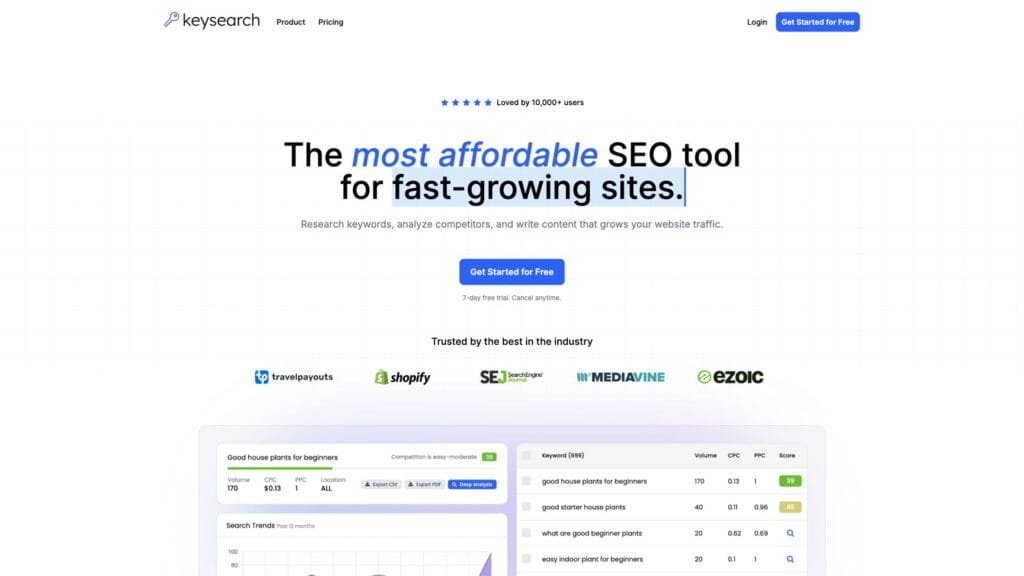
You can research keywords for Google, YouTube, and Pinterest, with metrics like search volume and difficulty scores, plus related keyword suggestions. For Pinterest marketers who also care about ranking blog posts, having all this in one place simplifies planning and keeps costs down.
KeySearch includes extras like rank tracking, competitive analysis, and content optimization guidance. While its Pinterest-specific views aren’t as deep as a dedicated Pinterest-only tool, they’re more than enough for many bloggers who just need solid keyword ideas and basic difficulty checks.
The interface is simpler than “big SEO” tools and there’s a 7-day free trial so you can test whether its Pinterest data and workflow suit your needs before committing. It’s a web app, so there’s nothing to install.
Best for: Bloggers and creators who want one budget-friendly tool for Google + Pinterest keyword research and don’t need ultra-specialized Pinterest-only analytics.
5. Pindodo Browser Extension
Pindodo is a Pinterest ranking and keyword browser extension for Chrome and Firefox. It’s built to sit alongside your regular Pinterest use and uncover extra keyword and hashtag opportunities that aren’t obvious from the native interface.
The extension lets you enter multiple seed keywords, then generates related terms along with search volume and difficulty. You can export results to CSV, Excel, or PDF and quickly copy sets of keywords into your pin descriptions or content planning documents.
A key promise is that Pindodo surfaces “hidden” or less obvious keywords and hashtags, helping you go beyond the standard suggestions everyone sees. It also supports multiple languages, which is useful if you’re targeting international audiences.
You can try Pindodo free for 7 days without a credit card, then continue on a subscription if it fits your workflow. Pricing is subscription-based, and details are usually visible during signup. Because it’s focused purely on Pinterest, you won’t get wider SEO features like in KeySearch.
Best for: Pinterest users who like working directly in the browser, want extra keyword angles and hashtags, and appreciate a short free trial to test things in real campaigns.
6. Pinterest Trends
Pinterest itself provides surprisingly useful free tools that are worth using whether or not you pay for anything else. These don’t replace a full research suite, but they’re excellent foundations.
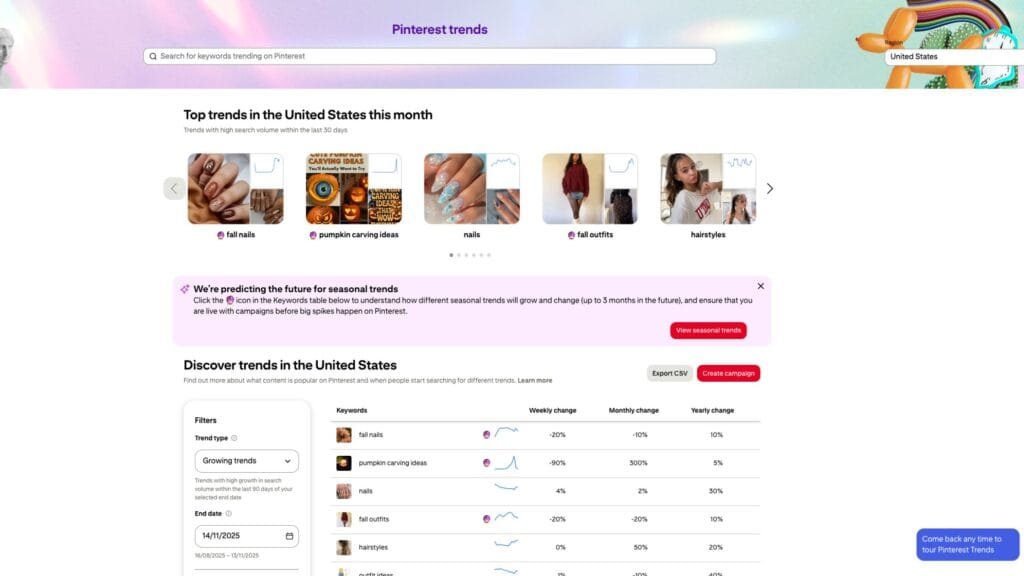
Pinterest Trends lets you see how interest in a keyword changes over time, and compare up to four keywords. That’s especially helpful for seasonal content like holidays, back-to-school, or gardening, so you can plan pins ahead of the surge.
The native search bar with autocomplete and guided keyword tiles shows you what real users are typing, and in what combinations. Combined with Pinterest Analytics on a business account, you can see which of your own pins and boards are resonating and refine your keywords accordingly.
These tools don’t show exact search volumes, difficulty scores, or competitor data, and they only directly cover your own content. However, they’re free, always available, and very reliable for validating ideas found in other tools and spotting new trends.
Best for: Anyone on a tight budget, beginners learning Pinterest SEO, and experienced users who want to cross-check paid tool data against Pinterest’s own signals.
Feature Comparison Table
Picking the right tool often comes down to seeing how the features line up side by side. Here’s a handy table to help:
| Feature | Pinsearch | Pin Inspector | Tailwind | KeySearch | Pindodo | Pinterest Free |
|---|---|---|---|---|---|---|
| Keyword Research | ✓ Advanced | ✓ Advanced | ✓ Good | ✓ Good | ✓ Good | ✓ Basic |
| Search Volume Data | ✓ Yes | ✓ Via integration | ✓ Yes | ✓ Yes | ✓ Yes | ✗ No exact numbers |
| Keyword Difficulty | ✓ Yes | ✓ Via integration | ✓ Yes | ✓ Yes | ✓ Yes | ✗ No |
| Trend Analysis | ✓ 12-month graphs | ✓ Yes | ✗ Limited | ✓ Yes | ✗ Limited | ✓ Yes |
| Pin Analytics | ✓ Detailed | ✓ Detailed | ✓ Good Enough | ✗ No | ✗ No | ✓ Own pins only |
| Competitor Research | ✓ Yes | ✓ Excellent | ✓ Limited | ✗ No | ✗ No | ✗ No |
| Board Analysis | ✓ Yes | ✓ 14+ metrics | ✗ No | ✗ No | ✗ No | ✗ No |
| Pin Annotations | ✓ Yes | ✓ Yes | ✗ No | ✗ No | ✗ No | ✗ No |
| Rank Tracking | ✗ No | ✗ No | ✗ No | ✓ Yes | ✗ No | ✗ No |
| Scheduling | ✗ No | ✗ No | ✓ Advanced | ✗ No | ✗ No | ✗ No |
| Multi-Platform | ✗ Pinterest only | ✗ Pinterest only | ✓ 3 platforms | ✓ 5+ platforms | ✗ Pinterest only | ✗ Pinterest only |
| Free Trial | Varies | ✗ No | ✓ Yes | ✓ 7 days | ✓ 7 days | ✓ Always free |
| Platform Type | Web-based | Desktop software | Web-based | Web-based | Browser extension | Web-based |
Pricing Comparison Table
Budget is often a big deciding factor. Here’s a quick comparison of entry costs and pricing approaches for each top alternative:
| Tool | Entry Price | Annual Price | Payment Type | Best Value |
|---|---|---|---|---|
| Pinsearch | $29/m | $179/m | Monthly/Annual | Comprehensive features for serious Pinterest marketers |
| Pin Inspector | $67 one-time | N/A | One-time | Lifetime access with no recurring costs |
| Tailwind | $17.99 Pro | $215/year | Monthly/Annual | All-in-one solution if you need scheduling + research |
| KeySearch | $17/month | $169/year | Monthly/Annual | Multi-platform research |
| Pindodo | Free trial, then subscription | Varies | Monthly/Annual | Can be used as extension |
| Pinterest Free | $0 | $0 | Free | Best for validating keywords and tight budgets |
Final Thoughts and Recommendations
If Pinterest is a key traffic source for you, the “best” tool depends mostly on your budget, how serious you are about growth, and whether you want an all‑in‑one platform or a focused research tool. Here is the recap of the best Pinclicks alternatives:
- Choose Pinsearch if Pinterest SEO is a big priority and you want deep, Pinterest‑specific keyword and competitor data with a clean, web-based workflow.
- Choose Pin Inspector if you hate subscriptions and are happy to learn a more advanced desktop tool in exchange for powerful research features and a one‑time payment.
- Choose Tailwind if you need scheduling, basic keyword help, design, and analytics in one place and you’re willing to pay more for that convenience.
- Choose KeySearch if you want one affordable tool to cover Google + Pinterest keyword research for your blog and don’t need ultra‑specialized Pinterest analytics.
- Choose Pindodo if you like working directly in the browser and want extra or “hidden” keyword and hashtag ideas with a simple, trial‑based subscription.
- Rely on Pinterest’s own free tools if you’re just starting out or on a tight budget, and use them to validate ideas from any paid tool you add later.
A dedicated Pinterest research tool like Pinsearch will give you the best return on investment if you are serious about your Pinterest growth.
